Isley: A Self-Hosted Cannabis Grow Journal
How I built Isley — a self-hosted grow journal in Go — to consolidate sensor monitoring, grow documentation, and harvest tracking into one app, and what a year of daily use has looked like.
If you caught my earlier post about Growcast — the 24/7 livestream of my grow tent — you might remember me mentioning Isley, the self-hosted grow journal that powers a lot of what you see on that stream. I figured it was time to give Isley a proper spotlight of its own.
Isley is a self-hosted cannabis cultivation management system I built in Go. The idea was simple: I was tired of juggling vendor apps for my AC Infinity controller, separate spreadsheets for tracking feeds and waterings, and random notes scattered across my phone. I wanted one place to track everything about my grows — environment data, plant journals, strain info, harvest metrics — and I wanted to own that data on my own hardware.
What It Does
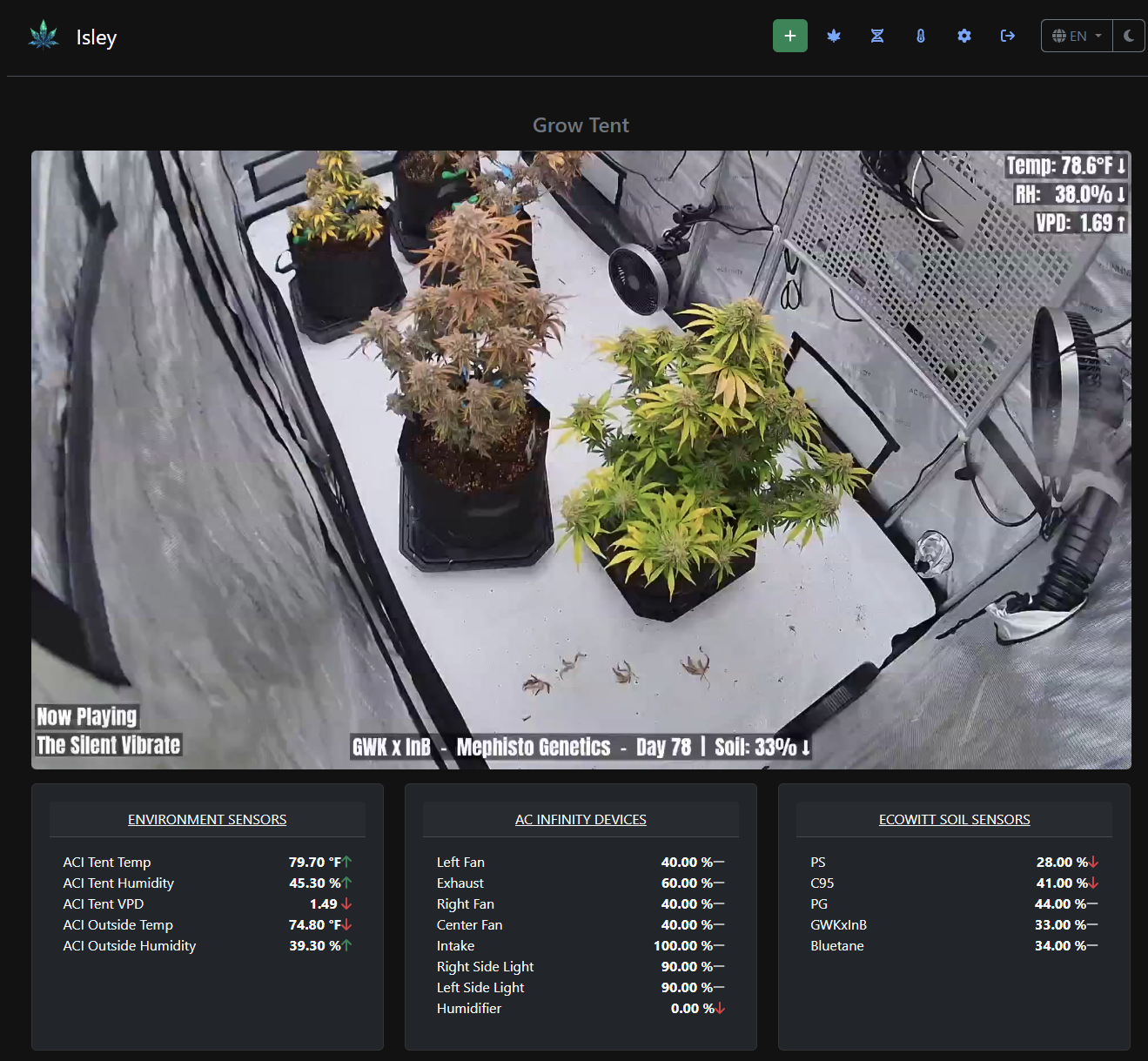
At its core, Isley is a grow journal with real-time sensor integration. It pulls data directly from AC Infinity controllers and Ecowitt soil sensors, so your environment readings — temperature, humidity, VPD, soil moisture — are all captured automatically and graphed over time. There's also a custom HTTP API endpoint for ingesting data from Arduino, ESP32, Home Assistant, or whatever else you want to hook up.
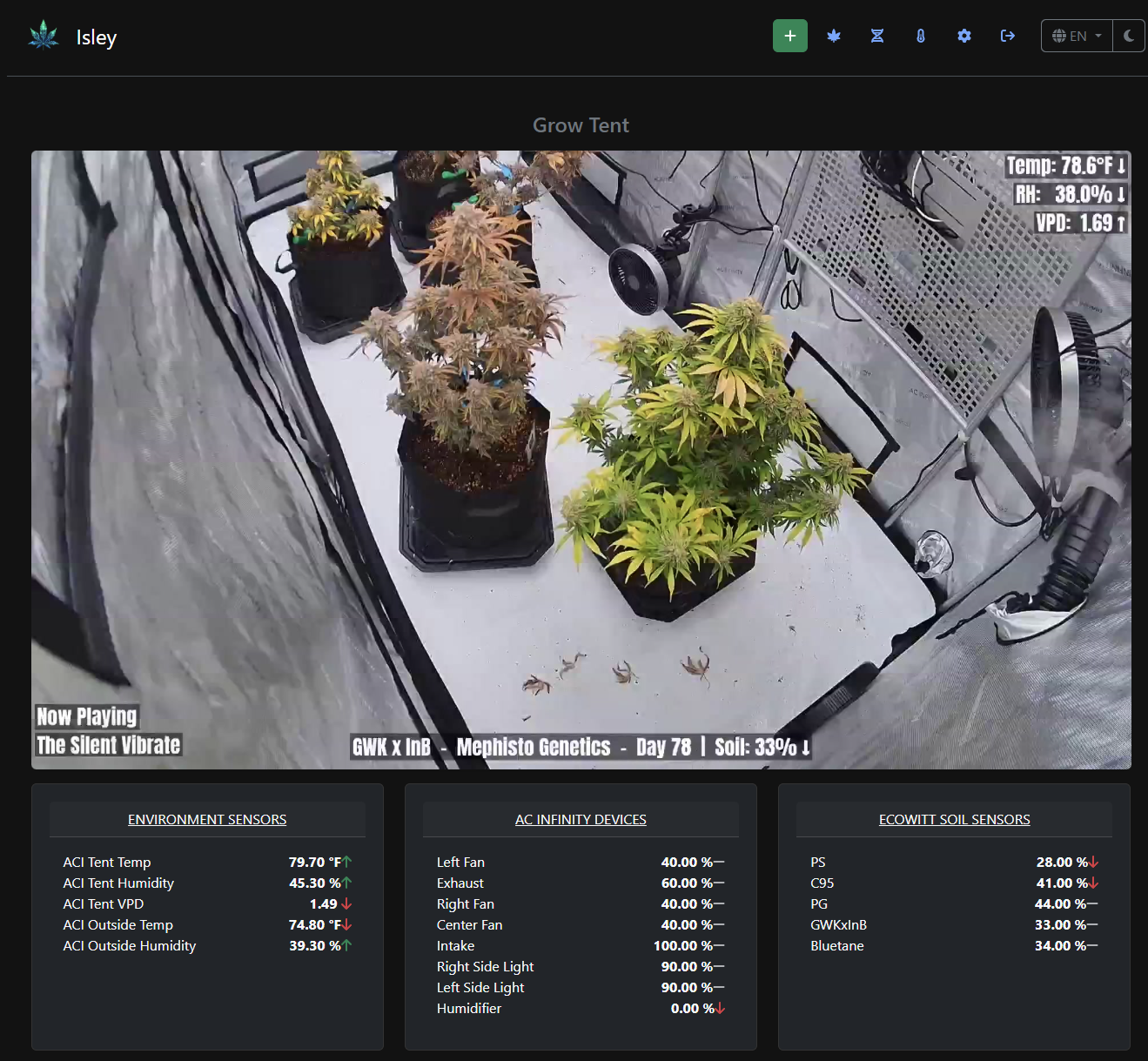
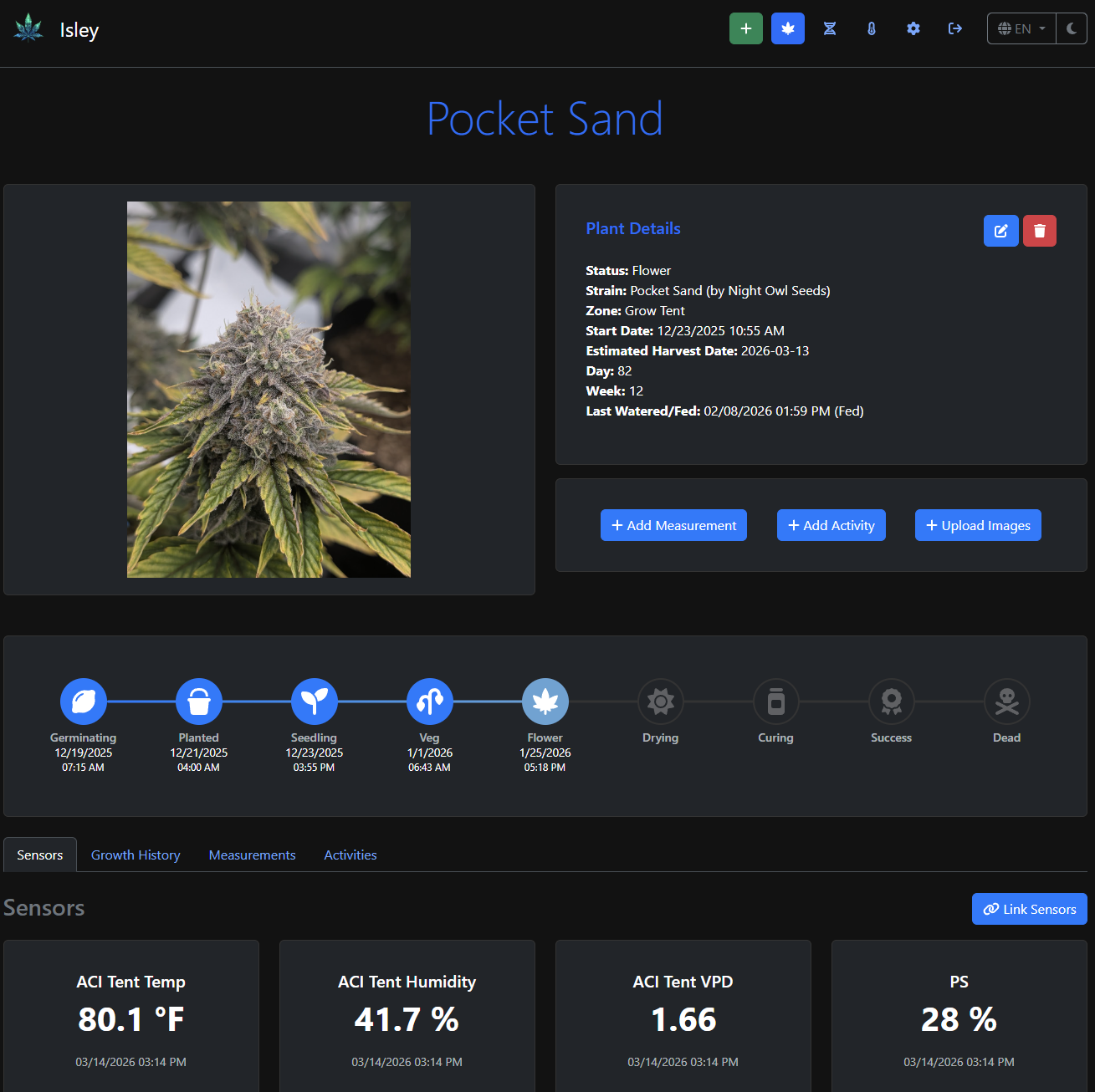
Beyond the sensor data, you get structured grow journals with timestamped activity logging for watering, feeding, pruning, and whatever custom activities you want to define. Each plant gets its own detail page with a photo timeline, measurement history, and growth stage tracking from seed to harvest.
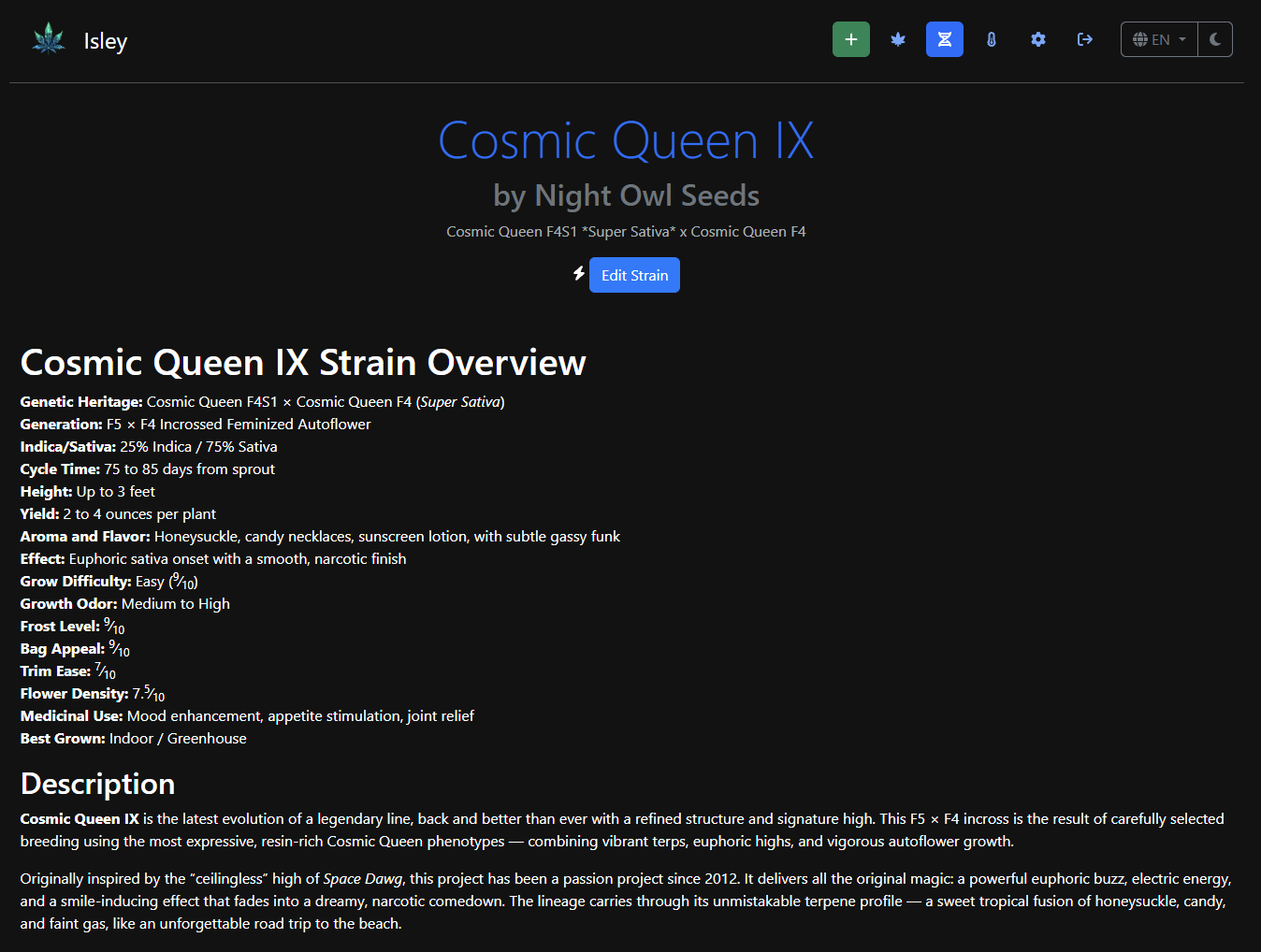
There's also a strain database that tracks genetics, breeder info, grow characteristics, and detailed profiles for each strain you work with. This has become one of my most-used features — being able to look back at a strain's expected cycle time, yield, and grow difficulty when planning the next run is incredibly useful.
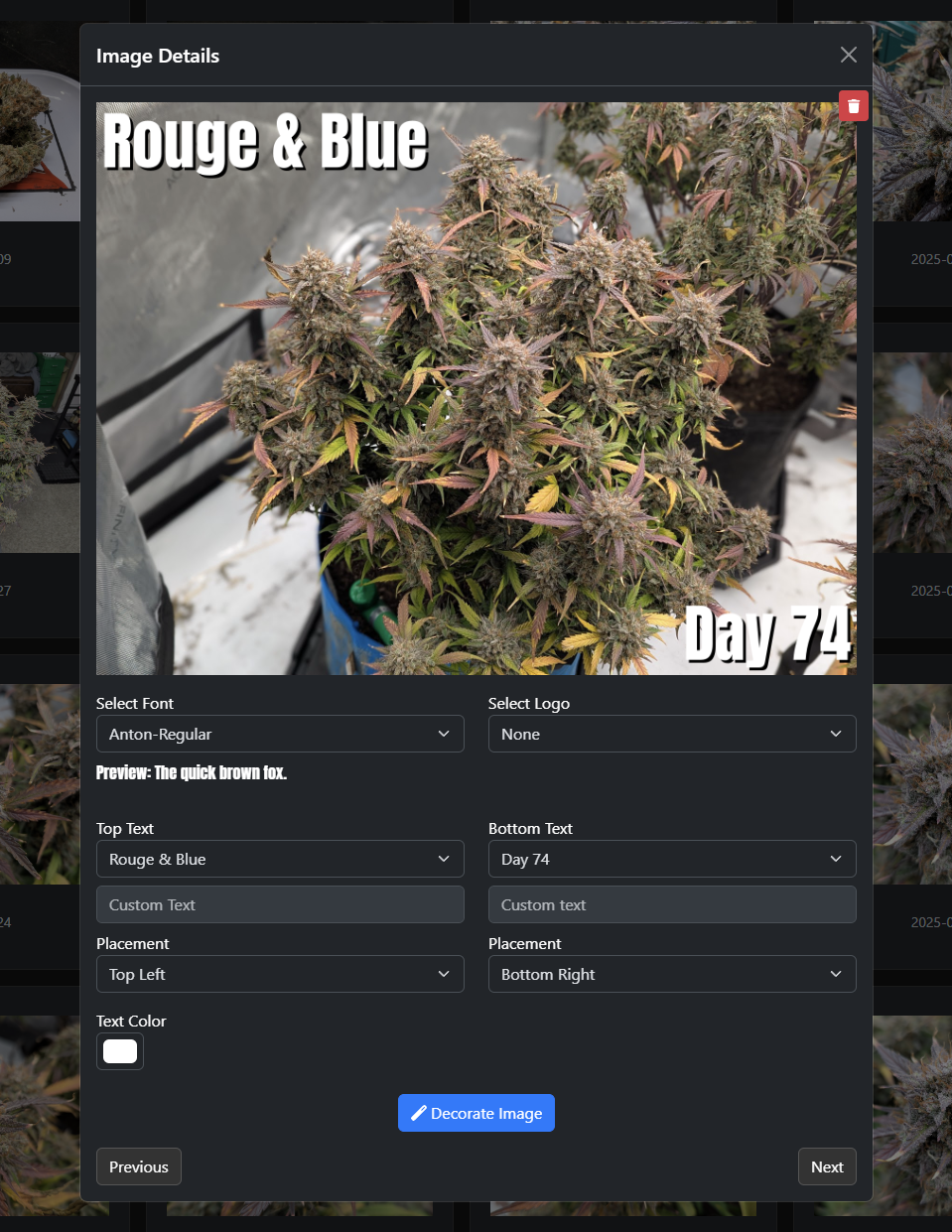
One of the smaller features that I find myself using constantly is the image overlay tool. You can upload photos and add text overlays with strain names, day counts, and custom watermarks — great for documenting progress without needing to fire up an image editor every time.
A Year In
I've been using Isley as my personal grow management system for over a year now, and it's become one of those tools I genuinely can't imagine going back from. Having all my grow data in one place — environment trends, feeding schedules, harvest weights, strain notes — has made me a noticeably better grower. When something goes sideways, I can look back at exactly what conditions were like and what I was doing differently. When something goes right, same thing.
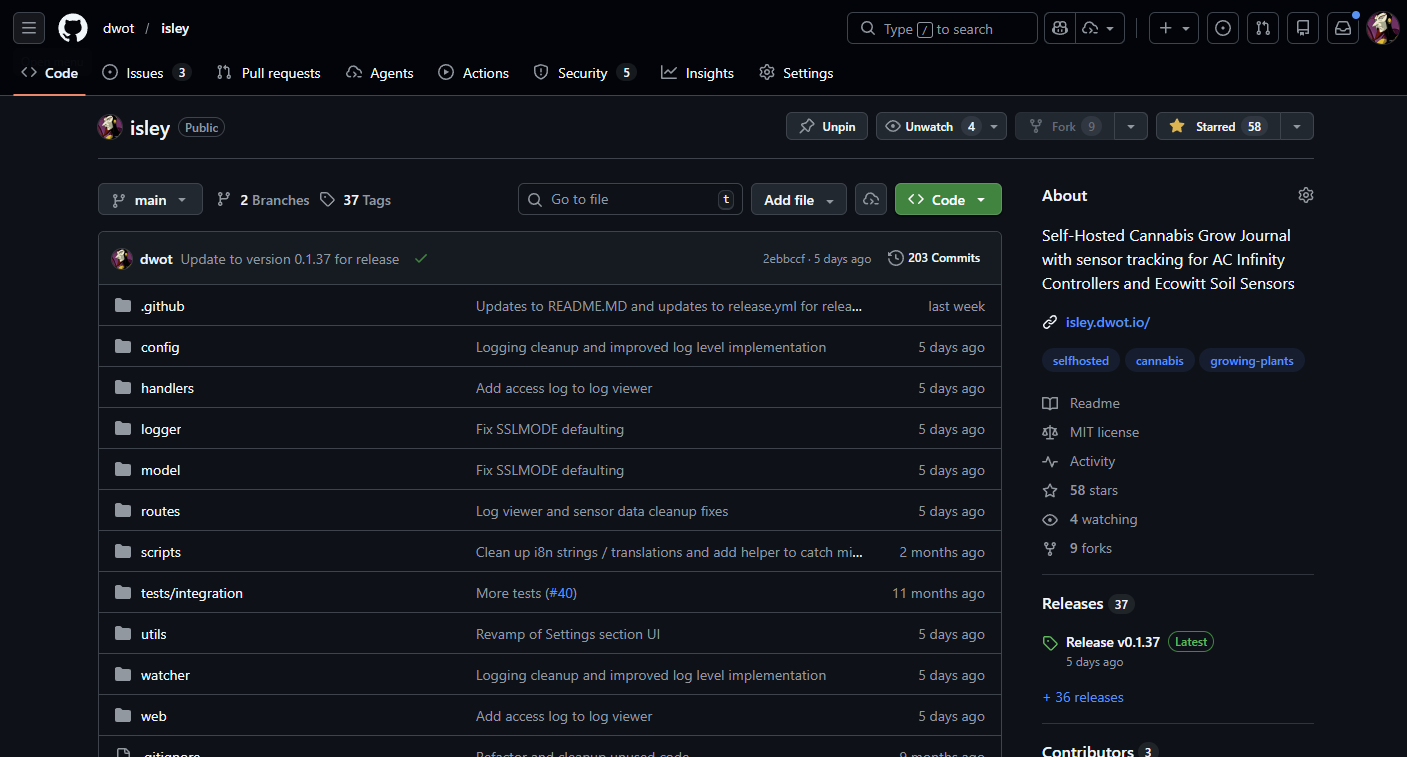
The project is at version 0.1.37 now with 37 releases behind it. It runs as a Docker container backed by either SQLite or PostgreSQL, supports multiple languages, has a mobile-friendly responsive UI, and even offers a read-only guest mode if you want to let people peek at your grow without giving them the keys.
The Growcast Connection
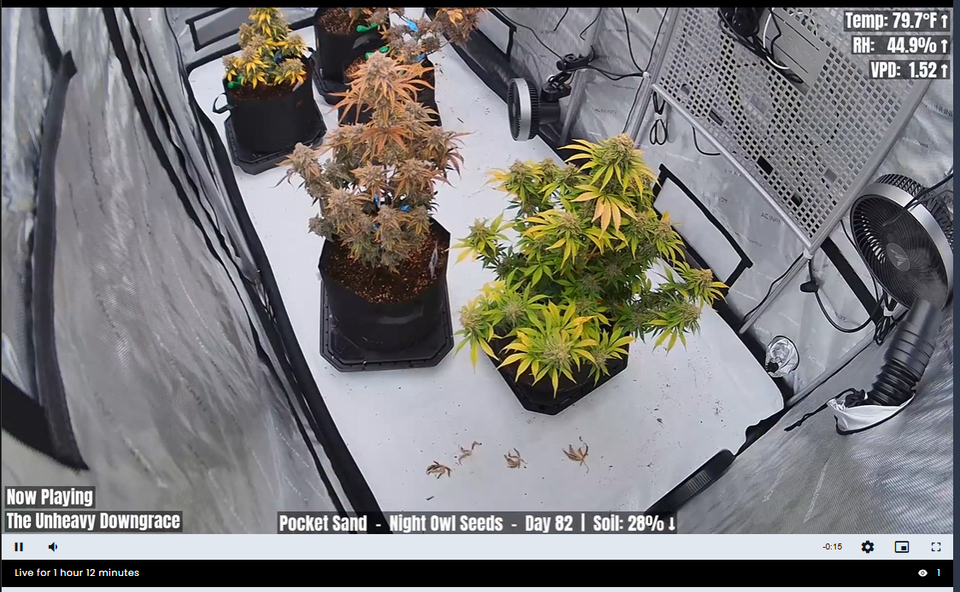
The latest feature that tied things together was building out an API endpoint specifically for Growcast. If you watch the livestream, the sensor overlays, plant info, and strain details you see on screen are all being pulled live from Isley's API. It's been satisfying to have these two projects click together like that — Isley as the data backbone, Growcast as the public-facing window into the tent.
Community
This might be my favorite part. The intersection of "people who self-host" and "people who grow cannabis at home" is not exactly a massive Venn diagram, but it turns out there are enough of us out there to form a community around this thing. I've started getting bug reports and pull requests from other growers using Isley, and it's genuinely cool to see other people finding value in something I built to scratch my own itch. There are 58 stars and 9 forks on the repo as I write this — small numbers in the grand scheme of open source, but meaningful when you consider how niche the target audience is.
What's Next
Things are generally pretty stable at this point, which is a nice place to be. The main thing on my radar is expanding the strain database. Right now it's a manual process — you add strains and their details yourself. I'd love to come up with a solid plan for a more comprehensive, community-driven strain database that could serve as a shared resource. Think detailed genetics, grow characteristics, terpene profiles, and real-world grow reports all in one searchable place. That's a big undertaking though, so I'm still noodling on the right approach.
Beyond that, alerts and notifications are on the roadmap, along with export and backup features. But honestly, the core of what Isley does — track your grows, log your data, and keep you organized — is solid, and I'm pretty happy with where it's at.
If you're a homegrower who likes to self-host, give it a look: github.com/dwot/isley. It runs great on a Raspberry Pi, a NAS, or whatever spare hardware you've got lying around. And if you find a bug or have an idea, throw up an issue or a PR — I'd love to hear from you.